Mini Game Series
Ten classic games. Ten different faces.
- Year
- 2026
- Role
- UX/UI DesignerIllustrator
- Tools
- FigmaClaude (code and sound)
- Status
- In progress (2/10)
- The goal
Practice game UI on rules everyone knows
The rules are already known, so the work focuses on what players see and feel: states, feedback and personality. Every game ends as something people can actually play.
- The constraint
Same structure, new identity
Every game follows the same structure: a start screen with selectors, a game screen and a settings modal. What changes is everything else, so the visual identity carries the whole difference.
Two opposite moods: sharp and high-contrast on the left, soft and pastel on the right.
My role
I designed everything except the code and sound effects: the theme of each game, UX flows, UI, illustrations, copy and the timing of every animation.
Each game went from references → wireframe → Figma, and then into a playable build made with Claude, adjusted round after round until it felt right.
Where the system was born.
One structure for the whole series
The first game set the rules for the whole series. The start screen with a single difficulty selector, the game screen and the settings modal were all defined here, and every game after it follows the same structure.
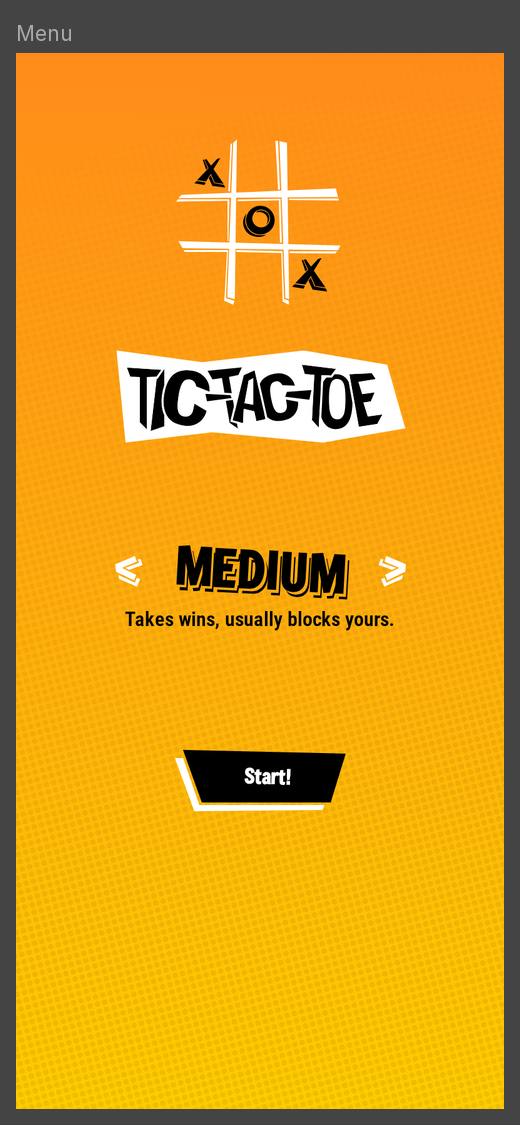
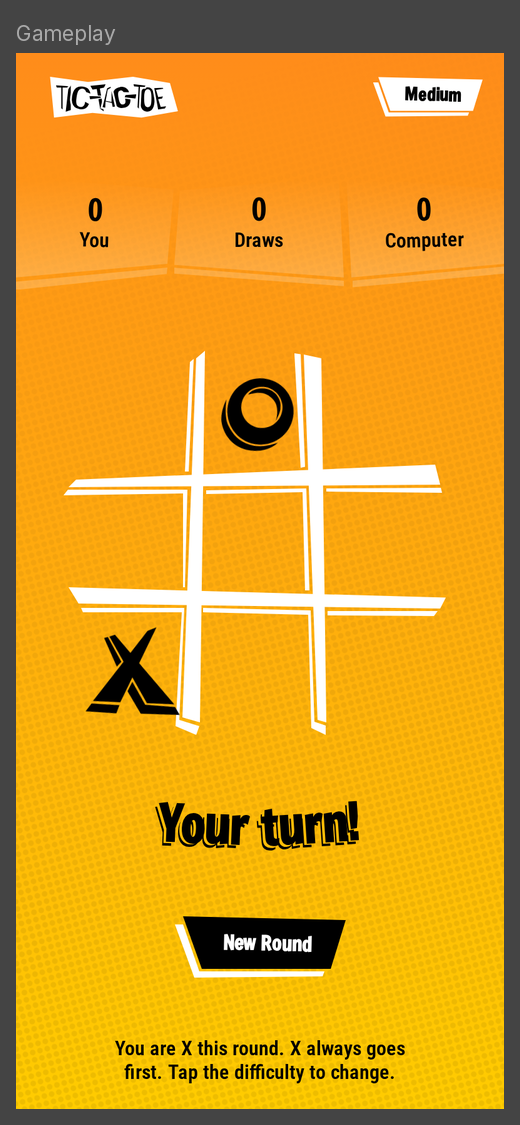
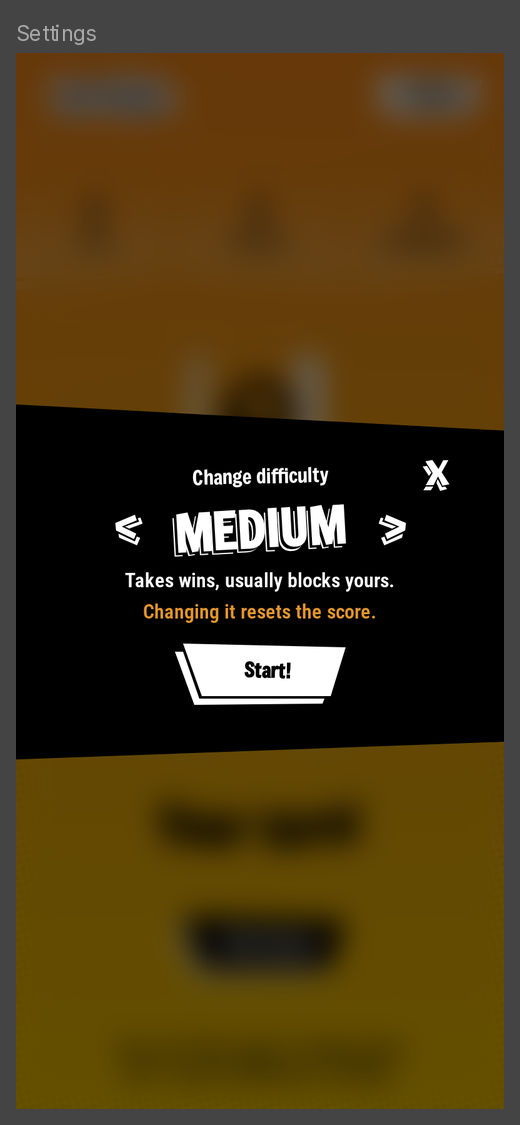
Three screens in Figma, one live build: the structure every next game follows.
Bold and angular
Jagged, angular shapes, offset shadows on the buttons and text that is never straight: every line has its own tilt, defined in Figma.
Pieces land like stamps, each at a slightly random angle and size, so no two look the same.
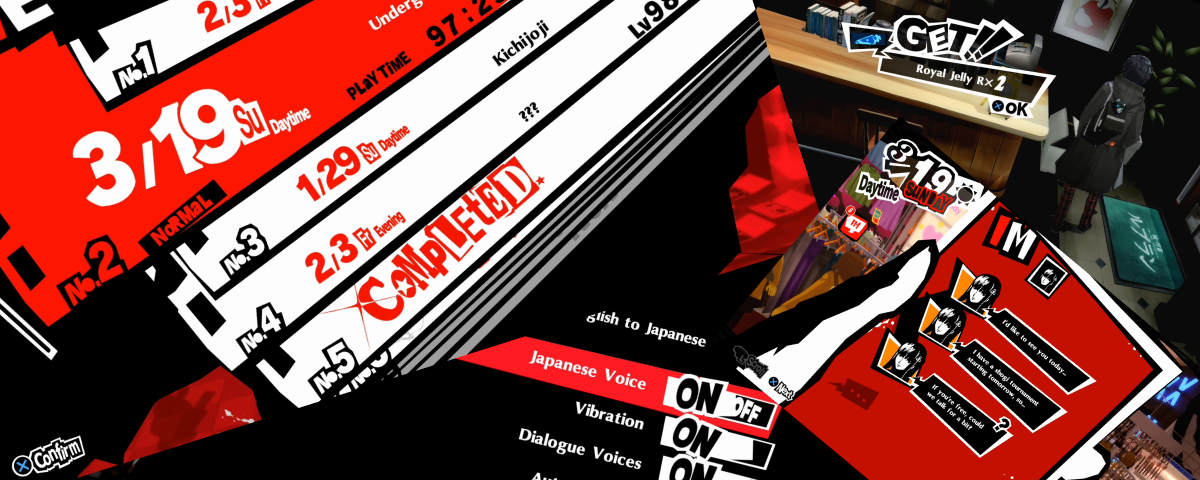
A picnic standoff.
Soft where the first one is loud
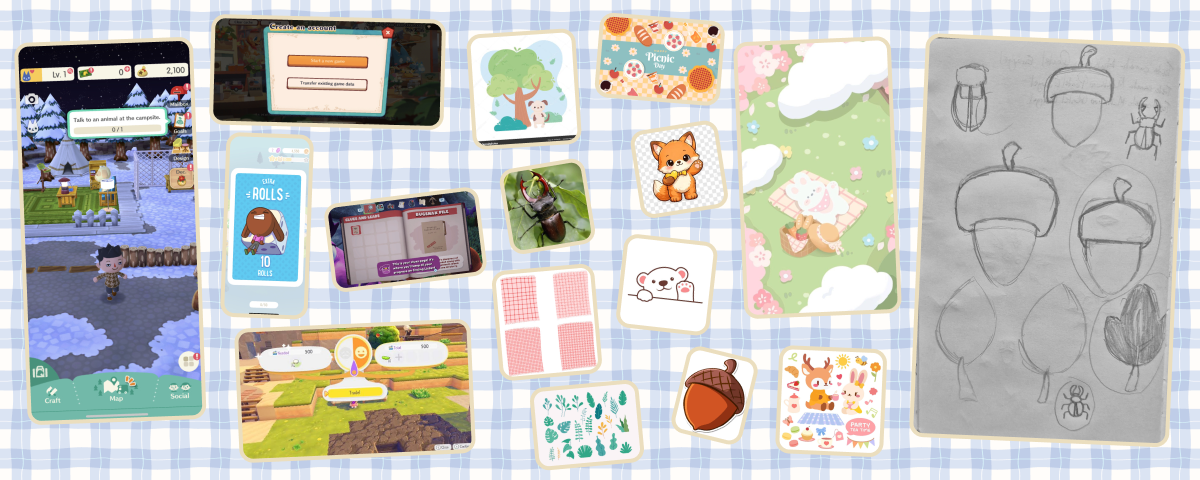
Rock-paper-scissors as a picnic standoff: a fox and a bear play for the last baguette. A deliberate contrast with Tic-Tac-Toe, cozy where the first one is loud, built on the same screen structure.
The name mixes the Brazilian jokenpô, from the Japanese jan-ken-pon, with paw: the paws are the ones playing, and “Paw!” lands right when they flip.



Wireframe to final
Like every game in the series, it started as a rough playable prototype: I describe the game and its rules, and Claude builds a first version in code with placeholder visuals. It lets me test flow and pacing before drawing anything.
Navigation was already solved by the shared structure, so the prototype only had to answer what was new: picking a mode, the countdown, the reveal and the end of a match. From there, I designed the final layout and art in Figma.
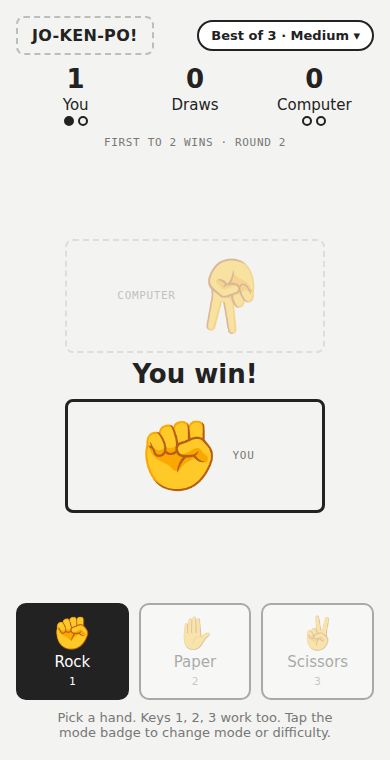
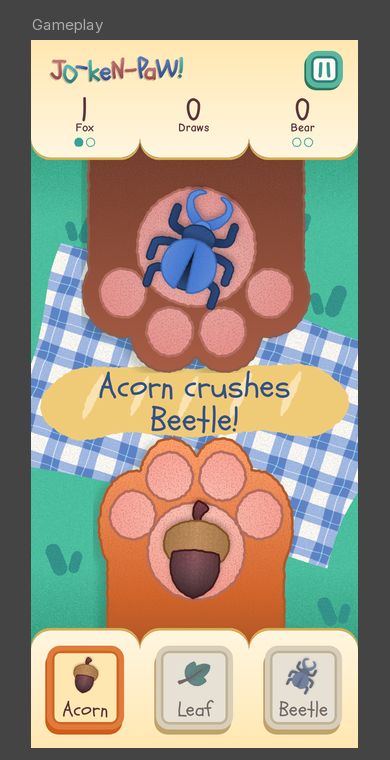
Left, the playable prototype that tested the flow. Right, the final screen designed in Figma.
Soft colors, clear signals
Pastel palettes are pleasant, but they flatten hierarchy: everything ends up with the same weight. So the interface is mostly pastel, with a few stronger colors saved for what needs to stand out, while the scene and the characters keep fuller colors. And each color has a single job.
- #5C343A Brown Every line of text
- #FFDA86 Yellow The choices
- #E07B3C Orange The choices
- #34978F Teal The action to take
- #325188 Blue What is happening right now
The bread is there for a reason too: the gingham is too busy for text, so the phrase sits on the baguette. Depth follows the same rule: only what you can press has a 3D base, and panels stay flat.
Details that make it feel alive
- 01
Paws flip like cards
On “Paw!” they flip and reveal the object at a random angle.
- 02
Results explain the rule
“Acorn crushes Beetle!”, always in two lines so the baguette keeps its shape.
- 03
Buttons hop while you think
First after 0.8 s, time to read, then every 2.5 s.
- 04
Presses that register
Buttons stay pressed for at least 140 ms, even on a quick tap.
- 05
The winner takes the bread
The winning paw grabs the baguette and pulls it to its side before the panel opens.
- 06
One sound family
Bubbles, paw pats, a “fwip” on the flip and kalimba notes, all in the same pentatonic scale.
Tools for my own workflow
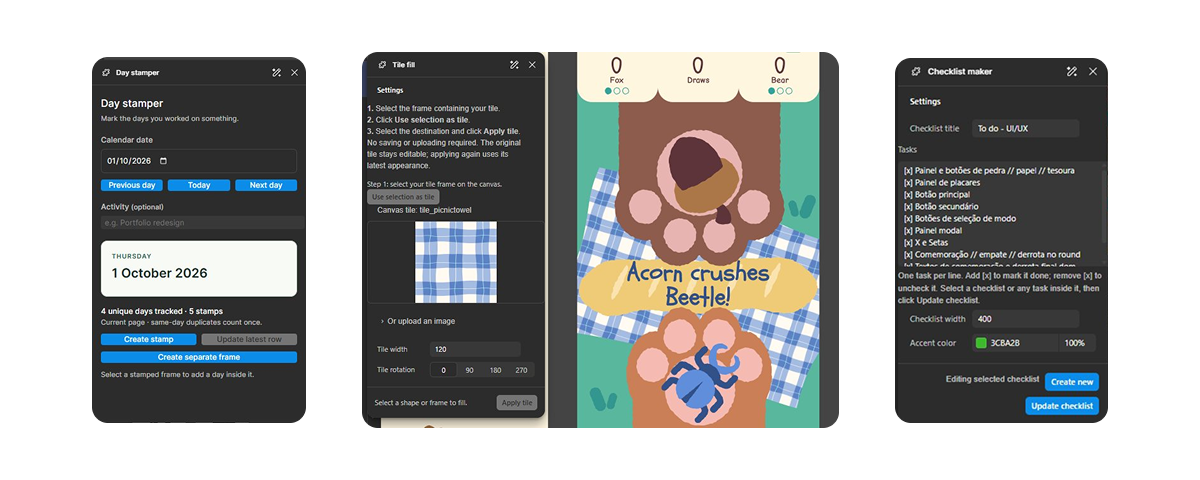
Along the way, I turned small gaps in my workflow into seven Figma plugins, made with Figma’s AI agents: I defined what each one should do, and the agents wrote them. They carry over to every next game. My top 3:
- Plugin
Tile fill
Fills a shape with a tile from the canvas, so the pattern stays editable.
- Plugin
Checklist maker
Checklists inside the file for screens, states and assets.
- Plugin
Day stamper
Marks the days I worked on the project.
Result
Two games are live on itch.io, playable on phone or desktop, with touch and keyboard controls. They look nothing alike, yet they share the same screen structure, and the difficulty selector is the same component in both, so the system was put to the test as well as the style.
The process settled into a repeatable path, from a rough playable prototype to a published game. Eight to go.
Reflection
Keeping the same structure made each new identity easier to judge: with navigation already solved, every decision was about look and feel, and those decisions were mine, from the art and the copy to how long a result stays on screen.
Playing every build on a real phone sharpened the details: Tic-Tac-Toe went through 23 versions of small fixes, and Jo-Ken-Paw! only felt right once I slowed the pacing down, with each beat of the countdown going from 0.45 s to 0.65 s.
Claude was the support that brought the interaction layer to life in code and sound, while the creative process stays in my hands. Next in the series: Memory and Simon.